
Sci-Fi · Product
FeedbackQR
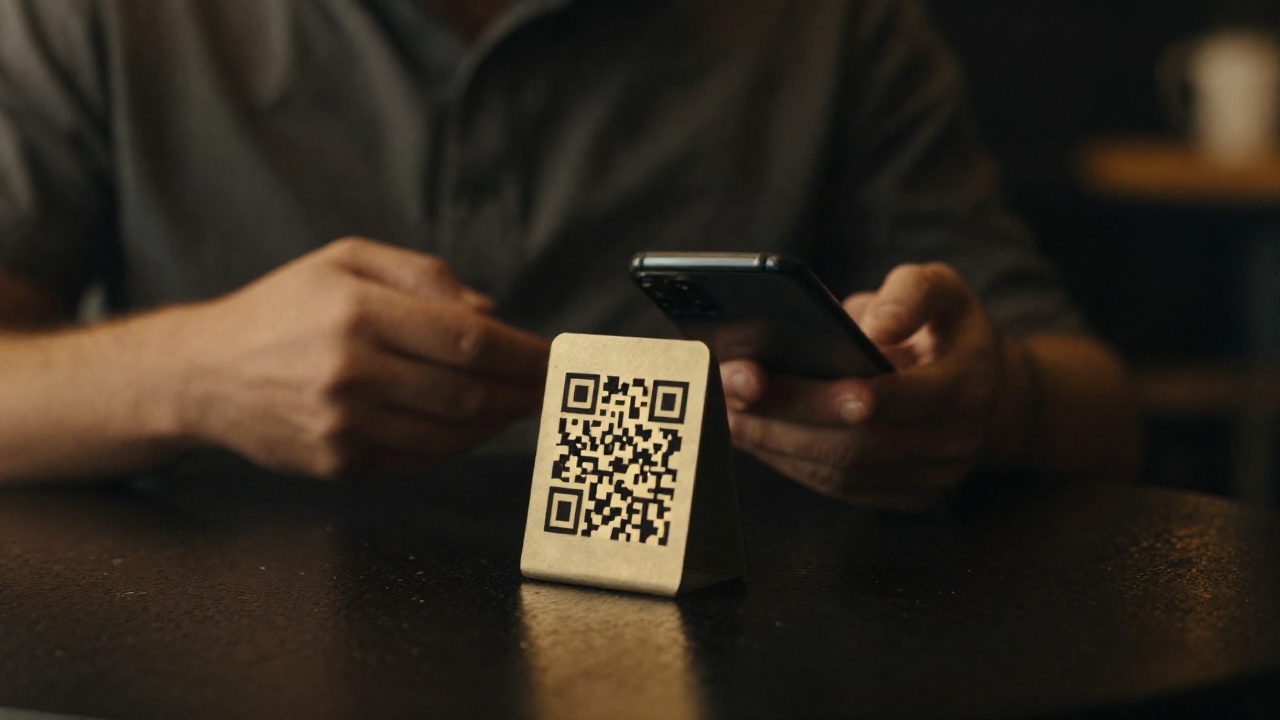
Its own QR code at every location. The customer scans, rates and attaches a photo — you learn about the problem within the hour, not from a public review.
What happens without feedback
An unhappy customer says nothing — and then writes it online
Weeks pass between “the customer did not like it” and “the manager found out”. In that time the problem repeats dozens of times, and the public review is already written.
The complaint does not reach you
On site the customer stays quiet; in the evening they post to maps or social media — where a reply is already too late and everyone can see it.
It is unclear where it slips
A chain-wide rating says nothing. The problem is almost always in one specific room, shift or person.
Nobody consolidates the forms
Paper questionnaires sit in a folder. By the time they reach a spreadsheet the occasion is forgotten and the numbers are stale.
The reaction arrives too late
A spoiled evening can still be saved while the customer is in the room. A day later it is not service, it is an apology.
How it works
Twenty seconds from the customer, one minute from you
No apps and no sign-ups. A phone camera, a page in the customer’s language, and a short form people actually fill in.
Scan
The customer points the camera at the code and the feedback page for that exact location opens — nothing to install.
Rating
Five stars and your own questions: a score, a choice of options or free text. Anything optional can be skipped.
Photo
A picture is attached to the review — an uncleared table, a portion, a fault. There is nothing to argue about.
Alert
The review lands in the work chat immediately. A low score reaches the manager while the customer is still on site.
Report
Every review accumulates with its location and time. Excel export covers a shift, a week or a month.
What’s inside
It adapts to your chain, not the other way round

A code per location
A room, a floor, a till, a suite — each point gets its own QR. You see not “a problem in the chain” but exactly where it is.
Your own question set
Questions are added and changed without a developer: order, whether they are required, answer type and the Azerbaijani translation.
Rating, text, contact
A customer may leave a name and contact so you can follow up, or stay anonymous — their choice.
Who sees what
Owner, site manager, supervisor, observer — access to reviews and statistics is separated by role.
Excel and CSV export
Reviews for a period, broken down by location and question. The file opens in your spreadsheet and goes into the report.
Telegram and email
Alerts arrive in the work chat and by email — each owner for their own area.
What the manager sees
A feedback stream tied to a location
Every line is a specific room at a specific time. Low scores are visible at once, not as a monthly chain average.
| Time | Location | Rating | Comment | Photo | Status |
|---|---|---|---|---|---|
| 12:04 | Hall · 1st floor | 5 | — | yes | Normal |
| 13:21 | Till | 4 | Long wait | — | Normal |
| 14:47 | Hall · 2nd floor | 2 | Table not cleared | yes | Alerted |
| 19:12 | Terrace | 5 | Thanks to the chef | — | Normal |
Location by location, week by week
You see where the score drops and after which change it recovers. The conversation with a shift rests on numbers, not impressions.
A low score goes straight to chat
Anything below the threshold reaches the responsible person instantly, with the text and the photo — in time to catch the customer.
Export for a period
Excel or CSV across all locations and questions — for a report, a shift bonus or a review with the owner.
What we connect
One code at the entrance — the rest follows your scenario
The core runs in production for our client. Below, honestly: what is already live and what we build for a specific task.
Feedback by location
Printed codes on site, a feedback page in two languages, photos, a question builder and an admin panel with statistics.
- A separate QR for a room, floor, till or suite
- Rating, questions and a free comment
- A photo straight from the form
- Statistics by location and period in the admin panel
Reaction and reporting
Alerts to the right people and data export: the system does not just collect feedback, it forces a response to it.
- A Telegram alert the moment a review is submitted
- A copy by email to the responsible person
- Excel and CSV export for any period
- Role-based access separation
A QR code beyond feedback
The same code can lead anywhere — the scenario is set by your business, not by a template.
- A menu or catalogue from the code on the table
- Paying the bill from the guest’s own phone
- Redirecting to any page — maps, social media, a promotion
- Pushing reviews into a CRM or a chatbot that replies to the customer
Perimeter
A public form that is still closed
The feedback page is open to the whole internet: anyone who sees the code knows its address. So the protection sits on the form itself, not on the admin login.
Protection against bots
Submissions are checked for automation: hundreds of fake ratings overnight will not appear, in either direction.
Photos checked by content
The system looks at the file itself, not at its extension: executable code cannot be uploaded disguised as a picture.
Input is sanitised
A customer’s comment is stripped of markup and scripts before it reaches the database and the admin panel.
The feedback stays yours
The database and photos live on your server or a dedicated VPS — not inside someone else’s review service.
Next step
We print the codes and start at one location
A week is enough to begin: a list of locations, your own questions, printed stands. The first reviews arrive on installation day.
Locations and questions
We put together the list of locations and a question set for your service — in both languages.
Launch
We print the codes, place them on site and wire alerts to the responsible people.
Expansion
The remaining locations, owner-level reports, and QR scenarios — menu, payment, redirects.
Sci-Fi · Systems built to order · Baku